Web Development
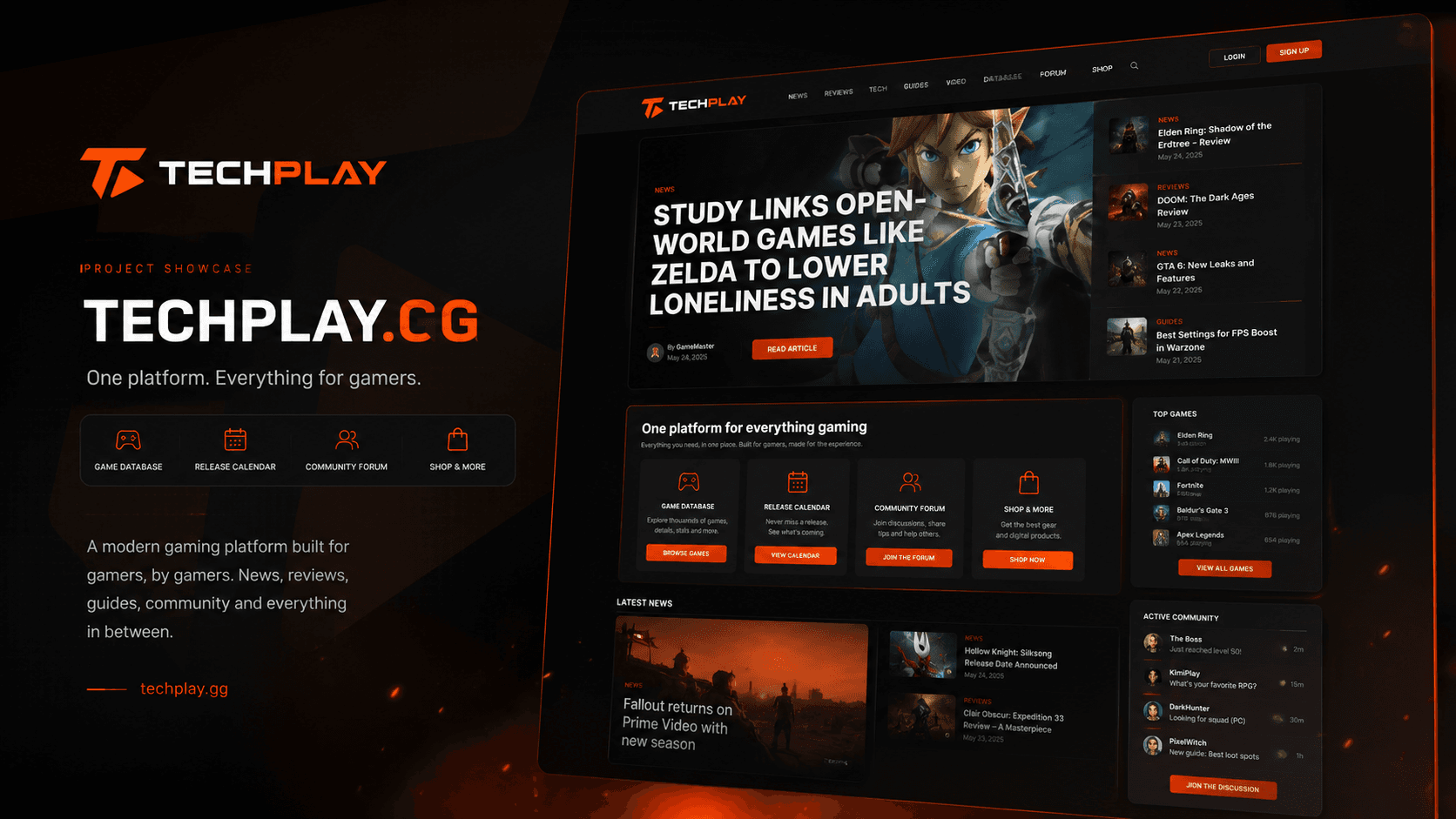
Company websites, online shops and web applications, built in Next.js. TechPlay’s database of more than 200,000 games runs on the same stack.
We build headless CMS setups: content lives in a CMS shaped around how your team writes and approves, and a Next.js front end turns it into fast, indexable pages. The same content can feed a mobile app, a newsletter or a second site.
TechPlay's newsroom publishes news and reviews from a Laravel + Filament back office to a Next.js site with more than 200,000 game pages, and Federalna's app reads straight from the news portal, so editors publish once.
A headless CMS, headless WordPress or a custom admin — chosen for your editors, content, budget and hosting, not for what is fashionable.
Content types, fields, relations and approval steps designed with your editors, so the CMS matches how they work.
Pages rendered on the server, fast on phones and complete for search engines, with a preview before anything is published.
Next.js DevelopmentKeep the WordPress editor your team knows, and replace the theme and plugins on the front with Next.js.
WordPress to Next.jsThe website, the mobile app and other channels read from the same API, so content is published once.
Case study: Federalna.baPosts, pages, media and URLs moved from the old system, with redirects mapped and rankings watched after the switch.
What you receiveA written scope, the chosen CMS and a fixed price.
What you receiveA CMS your editors have already used.
What you receiveA staging site fed by the CMS.
What you receiveA live site with every old URL accounted for.
What you receiveA tuned setup and editors who publish on their own.
200K+
games, each with a page of its own
TechPlay's newsroom publishes from a Laravel + Filament back office to a Next.js site where each of more than 200,000 games has its own page.
View case studyWe choose tools based on the requirements of the project, your existing systems and what will be practical to maintain after delivery. Below are the technologies we typically use for this type of work, and why.
The front end: server-rendered pages, previews and metadata generated from the content.
A custom back office when editors need workflows a ready-made CMS cannot give — as behind TechPlay.
When the team already knows the WordPress editor and only the front end needs to change.
Structured content and relations that stay consistent as the site grows.
New pages and posts without a developer, with a preview first.
Web, app and other channels from one source.
Server-rendered front end with SEO generated from content.
Repository, CMS and data registered to your business.
If you cannot find the answer below, send us your question. A member of our team will reply within one business day.
Ask a questionA website with a headless CMS usually takes 4–8 weeks; apps, large migrations or custom workflows take longer. The timeline is in the written scope.
A Next.js website with a CMS starts from €1,800, and larger platforms with custom workflows from €4,500, as web applications. You receive the final price in writing after a short call, and it does not change.
You do. The code, the CMS, the content and the accounts are registered to your business from day one.
It depends on your editors and your content. For many sites a ready-made headless CMS or headless WordPress is enough; when workflows are specific, a custom admin pays off. We explain the trade-offs before you choose.
Not necessarily: with headless WordPress they keep the editor they know. Every new CMS comes with a recorded walkthrough.
Headless on its own does not rank a site. What helps is a front end that renders full pages on the server, loads fast and generates metadata and sitemaps from the content — which is how we build it.
Company websites, online shops and web applications, built in Next.js. TechPlay’s database of more than 200,000 games runs on the same stack.
Technical fixes first, then pages written for the searches your customers make. You get a report every month.
Managed hosting and care for the sites we build, and for sites we take over from someone else.